Homepage and settings
The Internal clients portal consists 5 menus: Home, New requisition, View, Approval and My messages.

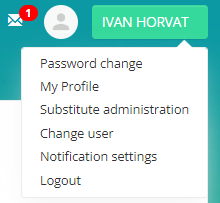
The name of the registered user is visible in the right corner of the screen, along with a submenu:
- Change password - When you click on Change password, a screen appears in which you must enter the old and new passwords, then confirm the change with the Change password button.
- My profile - the ability to upload a profile photo
- Substitution administration enables you to define a substitution for a specific time period. It is necessary to choose the replacement and specify the date of the replacement.
- Substitution of user - if the user is administered as a substitute for another user, he is transferred on behalf of his substitute by selecting this option.
- Notification settings - on the Notification Settings screen, we specify which request statuses we want to be notified about.
-
Logout - by clicking on the button, we log out of the Portal.
On the home page of the Internal Client Portal, there is an overview of: My Latest Requests and Latest Approval Requests, and My Department's Latest Requests.
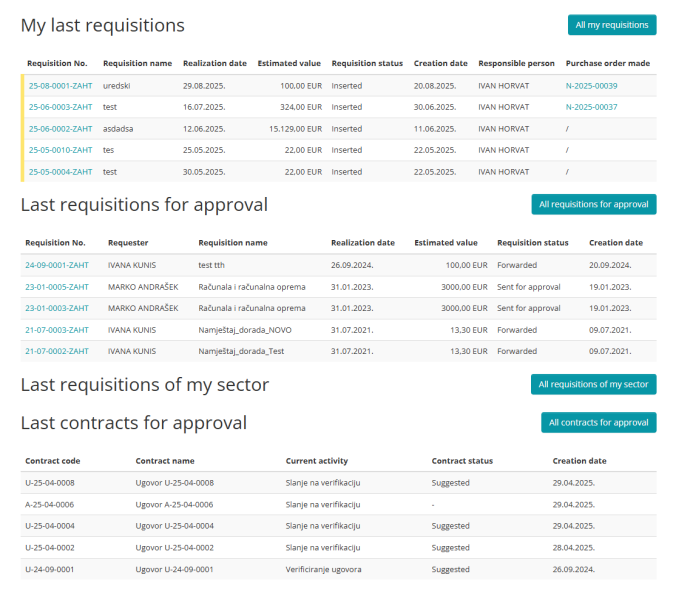
Clicking the All my requests button displays a list of all requests made by the currently logged in user.
By clicking the All requests for approval button, all requests for which the currently registered user is designated as the person responsible for approval are displayed.
By selecting the button All requests of my department, all requests from our department's users are displayed.
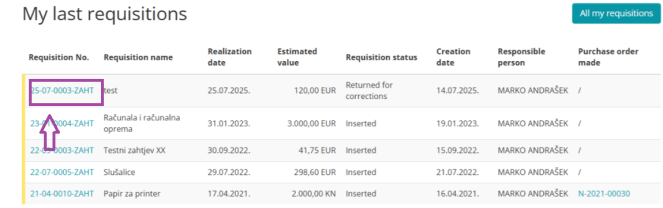
By clicking on the request number, you can view the entered data for the selected request.